
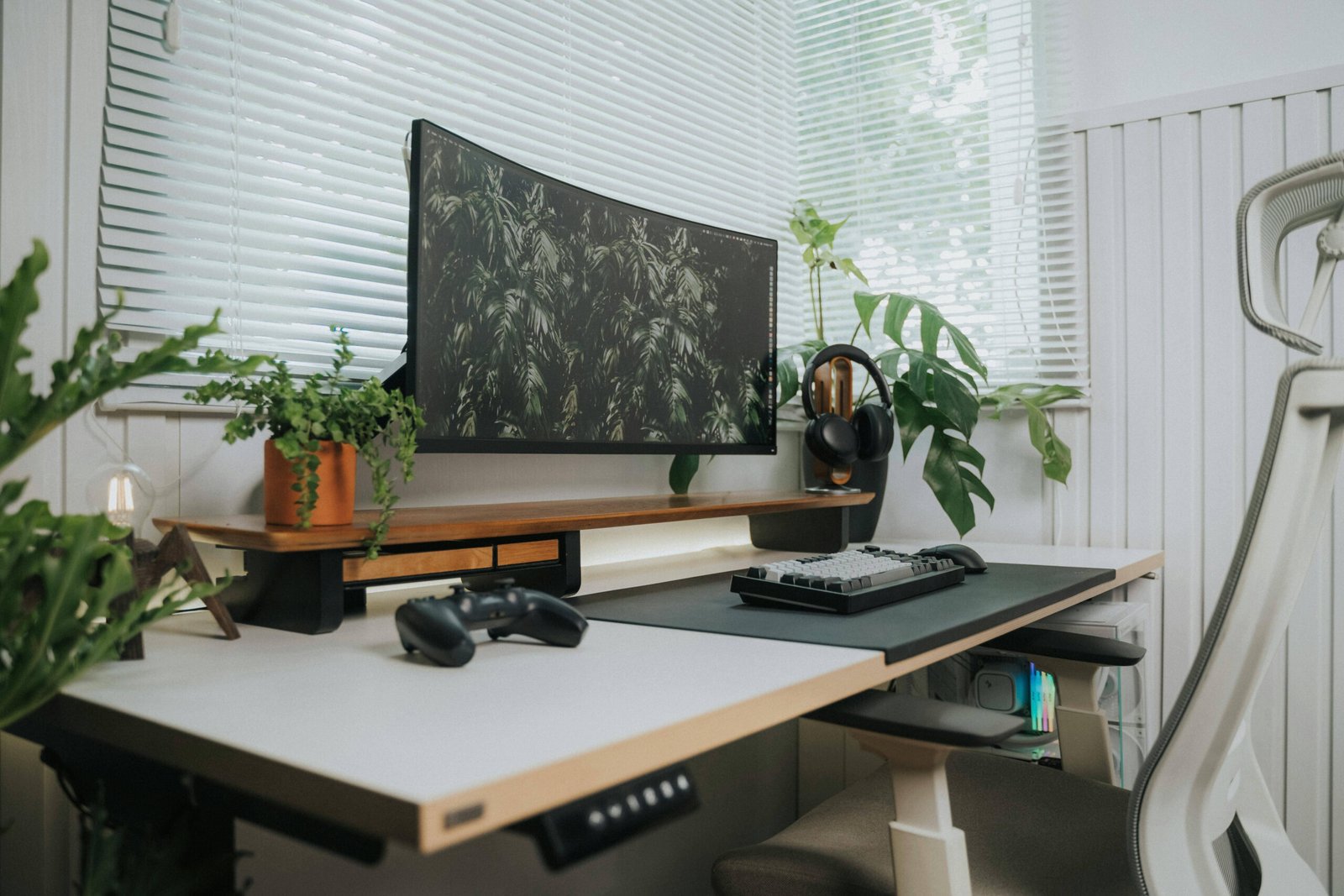
Anyone who’s spent real time at a desk — working, gaming, creating — knows the difference a good setup makes. Axlves the thing that would make it better. That’s what makes desk setup gifts so reliable: the person you’re buying for wants the upgrade, they just haven’t justified it yet. You justify it for them.
This guide covers the best desk setup gifts across every budget, for every type of worker. Whether you’re shopping for a remote worker who lives on Zoom, a programmer who types eight hours a day, a designer who needs their workspace to look as good as their work, or a student setting up their first real desk — there’s something here.
The Quick Pick by Budget
Before we get into specifics: here’s what to buy if you need an answer fast.
| Budget | Best Pick | Why | Link |
|---|---|---|---|
| Under $30 | Logitech Desk Mat | Most visible improvement per dollar | Amazon → |
| $30–$75 | Rain Design mStand | Transforms any laptop desk | Amazon → |
| $75–$100 | BenQ ScreenBar | The video call upgrade they need | Amazon → |
| $100–$150 | Logitech MX Master 3S | The mouse they’ll use for years | Amazon → |
| $150–$200 | Keychron Q2 Pro | The keyboard they’ve been wanting | Keychron → |
| $200+ | Ergotron LX Monitor Arm | Changes how the whole desk works | Amazon → |
For the Remote Worker Who’s Always on Camera
The remote worker’s desk is also their background. They care about this more than they admit.
Monitor Lights
The single most impactful upgrade for anyone who takes video calls. A monitor light clips to the top of the screen and throws even light directly onto the person — no shadows, no weird ceiling-light color temperature, no “I look like I’m in a cave” Zoom aesthetic.
The best monitor light made. The “Plus” has a desk control puck so they never need to reach up to adjust brightness on a call. Auto-adjusts to ambient light. Genuinely well-designed — the kind of thing that gets noticed immediately on Zoom.
The standard version — same excellent light, no desk control puck. Still dramatically better than any overhead light for calls. If the Plus is out of budget, this is the one.
More of a content creator tool, but works beautifully as a desk light. App-controlled, smaller than the full Key Light, looks clean on a desk. Good pick if they already have Elgato gear or if the ScreenBar doesn’t fit their monitor.
Quality Webcams
The built-in webcam on a laptop is almost always embarrassingly bad. A dedicated webcam is one of those gifts that feels slightly boring until they use it on their first call and someone asks what camera they’re using.
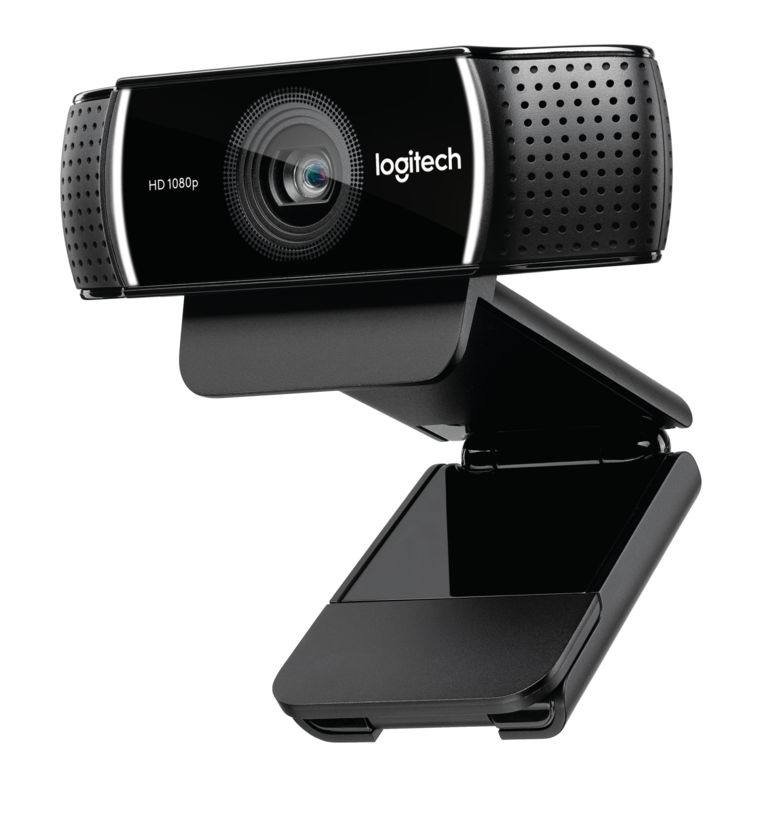
Plug-and-play 1080p. Default recommendation for years — nothing at this price has beaten it.
Check Price →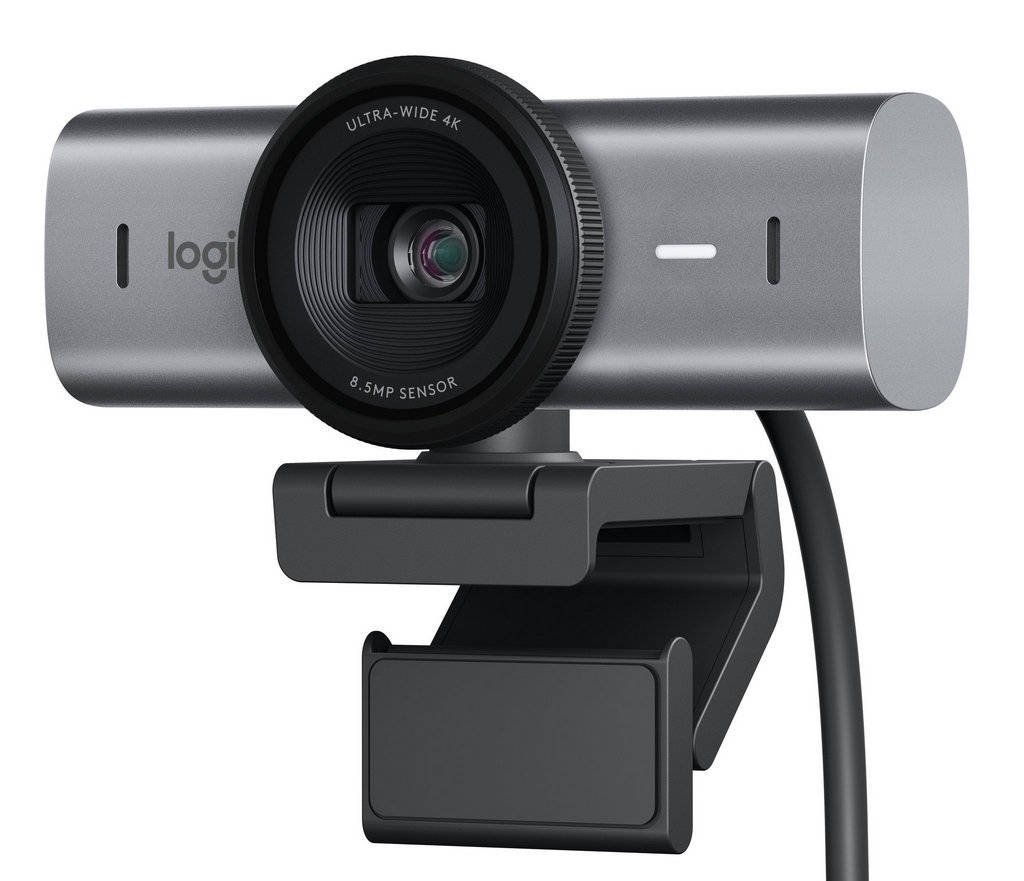
For frequent calls or any recording. Image quality is visibly better than any 1080p camera.
Check Price →C920s + ScreenBar Plus together. Transforms their Zoom presence in one shot.
Shop Both →For the Programmer or Power User
Programmers spend most of their working life at a keyboard. They have opinions about their tools, sometimes very strong ones, and they’ll appreciate a gift that takes that seriously.
Keyboards
This is the big one. A mechanical keyboard is the desk gift for programmers — and it’s the upgrade most of them have been quietly considering for months. The full breakdown is in the Best Mechanical Keyboards as Gifts guide. The short version:
$100–$200. Wireless, gasket-mounted, aluminum. The one they’ll use for years.
Check Price →Don’t know which switches to get? Go with Brown (tactile). Most universally liked by first-time mechanical keyboard users — satisfying without being too loud or too light. All Keychron keyboards ship with both Mac and Windows keycap sets.
Ergonomic Mice
Most people are using whatever mouse came with their laptop dock or the $20 one they grabbed at a drugstore. An ergonomic mouse is the kind of gift that sounds boring and then they use it for 30 minutes and can’t go back.
The standard answer for power users, and deservedly so. Thumb wheel, side navigation buttons — genuinely different from a standard mouse. Great for anyone who lives in browsers, spreadsheets, or document-heavy workflows. Pairs to three devices, works on any surface including glass.
For someone who’s mentioned wrist pain or RSI. The vertical grip keeps the wrist in a neutral position. Looks weird, feels weird for two days, then they never want to go back. Best given to someone who’s actually complained about hand or wrist discomfort.
Monitor Arms
Nobody’s monitor is at the right height on its original stand. A monitor arm raises the screen to eye level, frees up the desk surface underneath, and makes a dual-monitor setup actually work.
The benchmark. Holds monitors up to 34 inches and 25 lbs. No drift, smooth movement, won’t slowly sink over months. Available in white, black, and aluminum. The kind of gift that looks like nothing in a photo and transforms the workspace completely.
For the Designer or Creative Professional
Designers tend to have more opinions about their workspace than anyone. They want their desk to look good as well as function well. The gifts that land here are the ones that are both.
Desk Mats
A good desk mat is the single most visual upgrade to a desk. It ties the whole setup together. Designers will notice and appreciate quality materials in a way most people won’t.
Made in Portland, USA. Dense felt, stitched leather edges. The kind of thing that gets mentioned on desk tours.
Shop Grovemade →Minimal aesthetic, built-in document holder. For designers who lean Braun-style minimalist.
Check Price →Best value mat. Surprisingly high quality, several muted colorways that work on any setup.
Check Price →Laptop Stands
A laptop stand at the right height, paired with an external keyboard and mouse, is the closest thing to a desktop setup most people can get from a laptop. For someone who uses their laptop as their primary machine at a desk, this is a serious upgrade.
Solid aluminum, holds any laptop, looks expensive. The classic. Simple, no moving parts, just works.
Check Price →Same solid feel as the mStand but with cable management built in. Worth the extra if they have peripheral chaos.
Check Price →Pair with the stand. Turns one USB-C port into HDMI, USB-A, SD card, and more. Essential for MacBook users.
Check Price →For the Student Setting Up Their First Real Desk
Students are usually working with small budgets, limited space, and furniture that doesn’t always cooperate. The best gifts here are things that make a dorm room or apartment desk feel intentional.
Gift Sets That Work Together
What to Avoid
- White-box Amazon brands. The ergonomic mouse with 4,000 reviews and a name you don’t recognise will probably fall apart in six months. For desk accessories, brand matters — Logitech, Keychron, Grovemade, BenQ, Ergotron are making things that last years.
- RGB everything. Unless you know for a fact the person loves RGB, skip it. A lot of people want their desk to look clean, not like a nightclub.
- Cheap monitor arms. The $25 arm will drift. The display slowly sinks over weeks. Spend the money on Ergotron.
- More storage when they need less stuff. Desk organizers often just add clutter. Most desks improve by removing things, not adding them.
Quick Reference: Best Desk Setup Gifts by Price
| Budget | Best Pick | Why | Link |
|---|---|---|---|
| Under $30 | Logitech Desk Mat | Most visible improvement per dollar | Amazon → |
| $30–$75 | Rain Design mStand | Transforms any laptop desk | Amazon → |
| $75–$100 | BenQ ScreenBar | The video call upgrade they need | Amazon → |
| $100–$150 | Logitech MX Master 3S | The mouse they’ll use for years | Amazon → |
| $150–$200 | Keychron Q2 Pro | The keyboard they’ve been wanting | Keychron → |
| $200+ | Ergotron LX Monitor Arm | Changes how the whole desk works | Amazon → |